


Sage 50 inventory and your options
You can keep Sage 50 for your accounts if you need a different way to manage stock and orders. This guide explains what Sage 50 Accounts Professional handles, when an add-on is enough, and how Workhorse fits alongside Sage 50 or Xero.
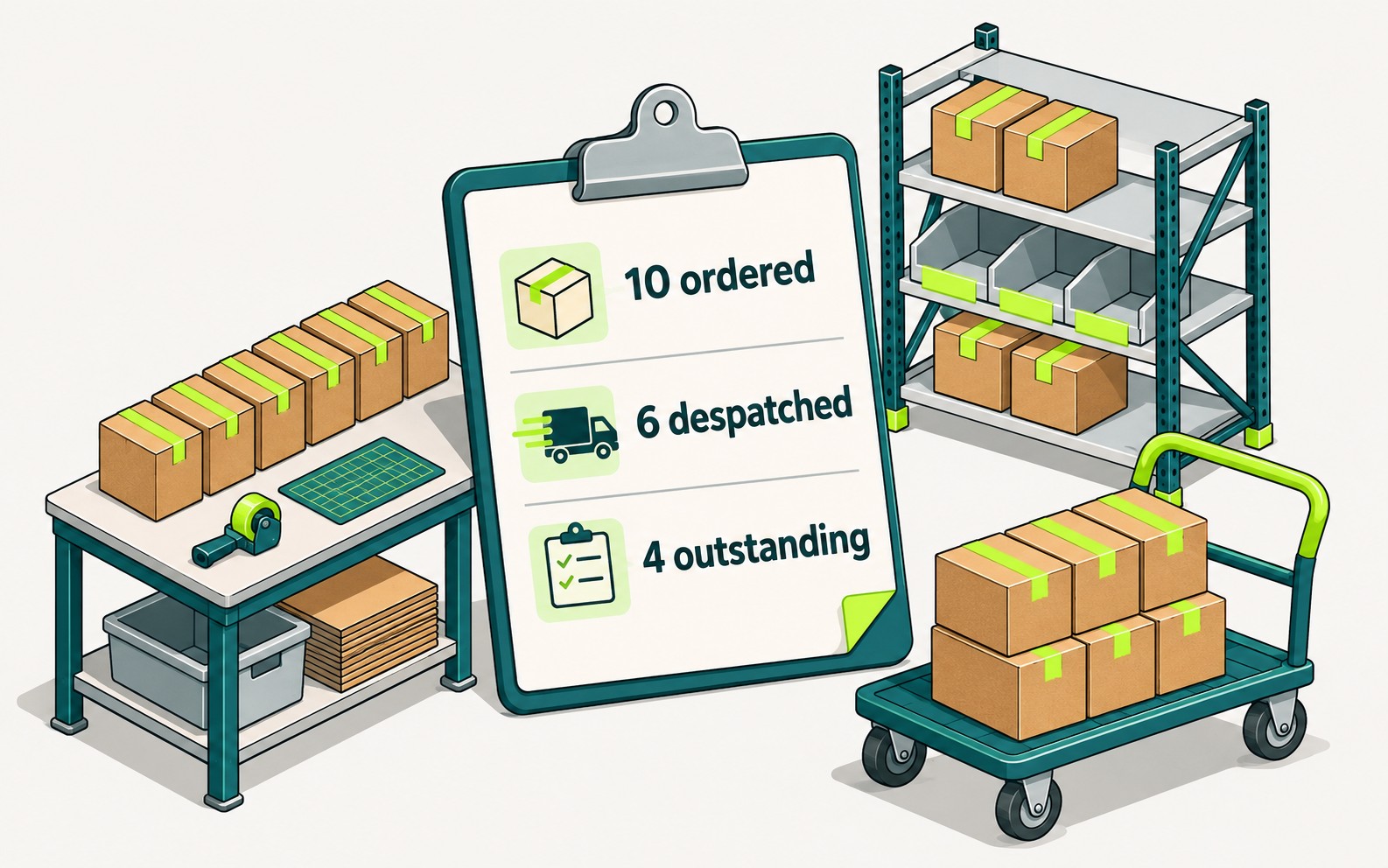
A customer rings to ask whether the rest of an order can ship on Friday. Where does your team look for the answer? If Sage shows what has been allocated and what is still due, it may already be doing everything you need. If the answer takes a warehouse spreadsheet and a call to purchasing, look at how the order is managed. Your accounts can stay in Sage either way.
What Sage 50 handles
In the UK, Sage 50 Accounts Professional can allocate stock against a sales order, record a part-delivery and receive goods against a purchase order. A bill of materials records the components needed for an assembly. If you hold stock in one place and sell finished goods or make products to a standard specification, those features may cover the whole order.
Where Sage 50 stops
Stock in more than one place. A location on a product record tells the team where to look. If the same item sits in both the warehouse and the showroom, staff also need a reliable balance for each site. Check where those balances are kept today.
Batches and serial numbers. Ask someone to trace a supplier batch to the customers who received it, or a serial-numbered unit from sale to repair. If that history is kept outside Sage, a traceability add-on or a separate operational system is worth considering.
Production beyond a standard bill of materials. Bills of materials define what goes into a product. They do not manage the work: components bought against a job, production stages, material usage that varies by order, or a specification that changes every time the product is sold.
Products sold with services, hire or repairs. Standard stock workflows assume goods arrive, sit on the shelf and leave when sold. A unit that is sold, hired, returned for repair and sent out again, or an order that combines products with installation or maintenance, does not fit that shape.
Orders arriving by several routes. Email, phone, EDI, webstore and customer purchase orders each need getting into Sage. The work is in re-keying them, checking customer prices and codes, and handling each route differently.
The clearest single test is the spreadsheet beside Sage. If Sage and the spreadsheet disagree about what is in stock, where it is, or what is on back order, and the team believes the spreadsheet, the business already runs a second operational record. It is just maintained by hand.
- Wholesale & distribution
- Made-to-order & bespoke manufacturing
- Batch production & traceability
- Products + services, hire & repairs
Which route fits your business?
Take the customer waiting for Friday’s delivery. They ordered ten units and six have gone out. Ask to see that order in each system you’re considering, including Sage 200. Can sales see the four still owed? Can purchasing tell whether the next supplier delivery will cover them by Friday? If you invoice on despatch, how does finance know to bill for six?
In Workhorse, the warehouse records the six on the despatch note. The other four stay on back order, so sales can see what the customer is waiting for. Purchasing checks what’s already on order before buying more. Finance can check the quantity despatched before invoicing. The stock and order records stay in Workhorse whether your accounts are in Sage 50 or Xero.
Keeping Sage 50 for the accounts
Workhorse can manage quotes, orders, purchasing, stock and despatch while your finance team continues to use Sage 50. During implementation we agree which accounting data needs to move and set up the CSV file transfers. You can keep this arrangement for as long as Sage suits the business.
Moving the accounts to Xero
If your finance team wants to move to Xero, Workhorse has a direct connection. Invoices and credit notes marked Sent in Workhorse pass into Xero with their account codes. After reconciliation in Xero, payment status comes back to Workhorse. Your accountant or bookkeeper handles the accounting migration and we agree the posting rules with them.
How Workhorse connects to Xero
Sage 200 and Sage add-ons
Sage 200 Professional supports balances by warehouse and bin, and stock tracking by batch or serial number. If you want finance and operations together in Sage, ask to see how a real order runs through Sage 200. If only one part of the process is slowing you down, test an add-on against the same order before taking on a larger implementation.
What moving your operations to Workhorse involves
A Sage 50 business that moved
Aford Awards sells more than 250,000 trophies a year, with orders arriving through its website, email, telephone, sales people and exhibitions. It had 30,000 orders, 25,000 products and 3,000 customers in Sage 50. The team reported losing around an hour per person each day waiting for stock shortfall calculations, and orders reached the engraving teams on printed job slips.
Aford now runs its whole operation on Workhorse, with Xero for the accounts. The shortfall check runs in half a second, purchase orders are raised automatically when stock falls below a set level, and orders reach the engraving teams through the system as they are entered. The change saves an average of two administration days per person each month.
Read the Aford Awards case study
What the move involves
Your project manager starts with the people who take the orders, buy the stock and send the goods out. Together you walk through a recent order, including what happens when a delivery is short or a requirement changes. We agree the requirements and a fixed price for that scope before implementation begins.
Configuration. Every customer starts with the complete Workhorse platform. We set it up around your process as part of implementation. That might mean using the order stages your workshop recognises, putting a customer reference on the despatch note, or giving purchasing a report of the orders waiting for stock.
Customisation. Where the standard settings cannot cover a requirement, we explain what needs development and quote for it separately. One wholesaler, for example, needed to update batch quantities from a file its cold store sent each night. We built an import for that file.
Go-live. Your team provides the stock count and sample orders. We help prepare opening stock and test the order through to the accounts handover, using the agreed Sage files or the direct Xero connection. Your project manager supports the changeover and stays involved during the first weeks.
What happens to stock, open orders and history?
Opening stock is what you actually hold on the changeover date. If you track stock by location, batch or serial number, we work through those details with your team when preparing the opening figures.
Before go-live, we agree how to handle open sales orders, outstanding purchase orders and work in progress. Take the order for ten: if six have already shipped, the team needs to know where to find the four still owed when Workhorse goes live. We agree which records you need in Workhorse on day one and which older transactions you’ll look up in Sage or in a saved export.
Support after go-live
Your project manager hands over to Workhorse helpdesk analysts who know how your system was set up. The subscription includes up to two hours of helpdesk time each month for questions and small changes. If finance needs another column on a report or the warehouse needs a new field on a form, the analysts can change the configuration. We scope and quote larger changes separately.
Configuration & customisation · Meet the implementation and support team · Implementation and subscription pricing
Frequently asked questions
Bring us an order from Sage 50
Bring a recent order and, if you use one, the spreadsheet your team keeps beside Sage. We’ll follow the order from entry to despatch and show you how the figures reach your accounts, whether you keep Sage 50 or move to Xero.