


Xero inventory: what it does well, where it stops, and when your stock needs more
Xero inventory keeps stock and accounting together for simpler businesses. Here’s where its accounting-led model works well, where operational gaps remain, and when it makes sense to add more.
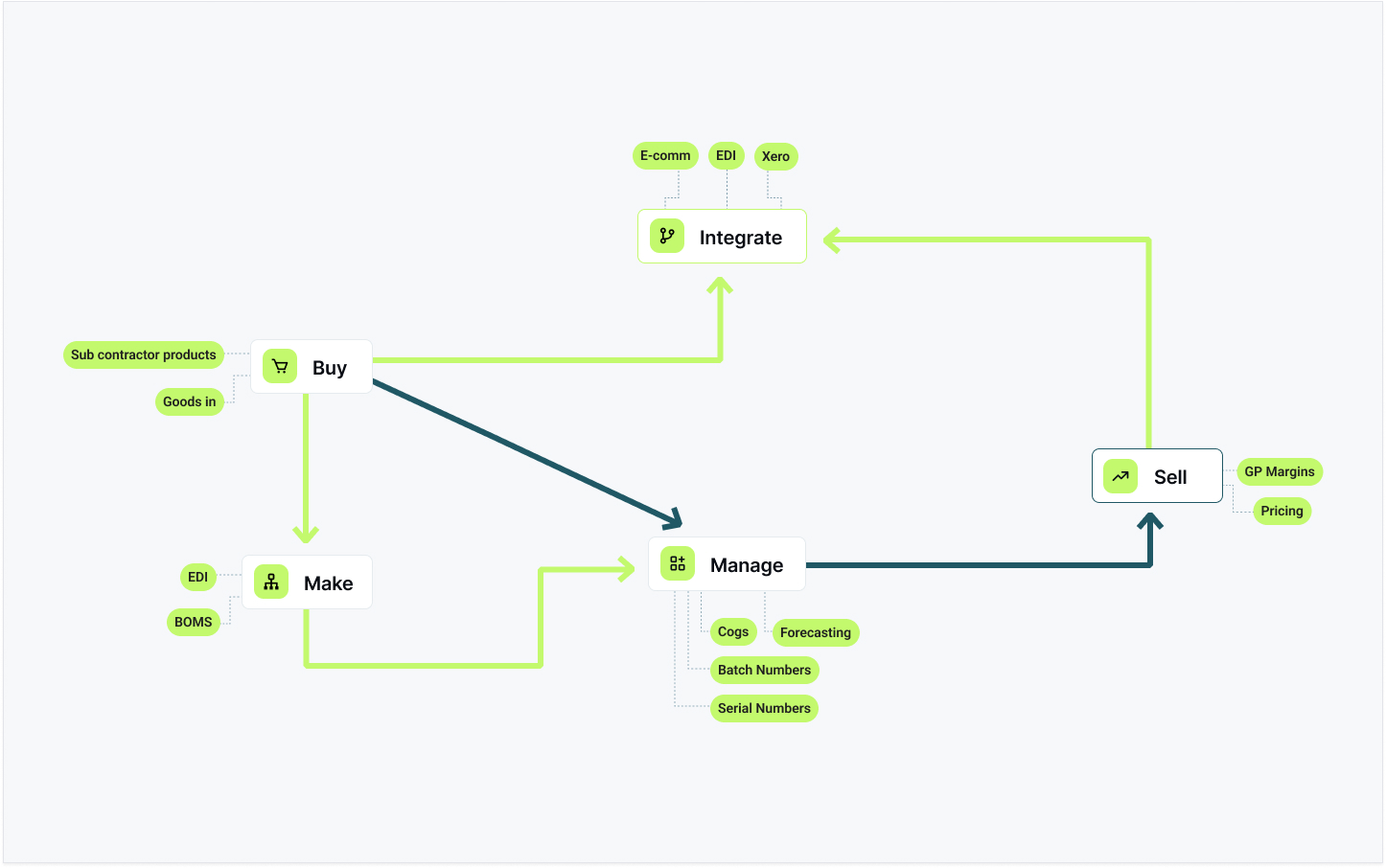
Xero includes inventory tracking, and opinion on it divides sharply. Some say the built-in stock tracking is all a small product business needs; others say Xero can't do inventory and recommend an app from the outset. The disagreement often comes down to a distinction neither side makes explicit: inventory management is two different jobs.
Xero keeps the financial record of stock — what a business owns, what it's worth, and what it cost when it sold — and it does that well. It was not built to run the operational side: availability, allocation, receiving, dispatch, multiple locations, production. Much of the confusion about Xero inventory, and many of the workarounds built around it, sit in the gap between those two jobs.
This guide covers what base Xero inventory does well, the design decision that determines where it stops, the six operational areas that decision affects, and how to tell whether a business still fits within Xero alone or has grown past it.
What Xero inventory actually is — and what it does well
Xero's built-in stock tracking lives in Products & services. Set an item up as tracked, and Xero maintains a quantity on hand and a value for it, calculated on an average-cost basis. That's base Xero inventory — sometimes called native Xero inventory — and within its scope it works well.
Specifically, it provides:
- A stock figure tied directly to the accounts. Quantity on hand and inventory value flow straight into the balance sheet, with no re-keying and no month-end reconciliation between systems.
- Automatic cost of goods sold. When you invoice a tracked item, Xero posts the cost out of inventory and into COGS at average cost, so margin reporting works without manual calculation.
- Consistent item records. Prices, descriptions and codes are the same across quotes, invoices, bills and purchase orders.
- Straightforward reporting. You can see what you hold, what it's worth, and what each line earned.
For a business that buys finished goods and sells them from one place, in whole quantities, with orders that ship complete, base Xero inventory can be all the stock control needed. Many businesses run on it for years without difficulty.
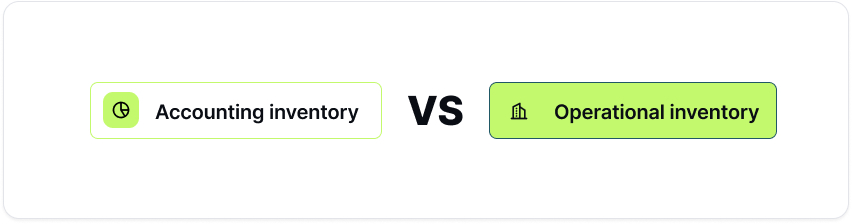
Accounting inventory vs operational inventory
The gaps appear when stock stops behaving that simply. To understand them, it helps to separate two kinds of inventory question.
Accounting inventory answers the finance questions: what stock do we own, what is it worth, what did we make on it? It exists so the balance sheet and the profit figure are right.
Operational inventory answers the operations questions: what can we promise this customer today? What's allocated, what's genuinely free, what's in transit, what's at which site, what needs to be bought or built next?
These are different jobs. One is a record of value; the other is a set of live decisions made hours or days before any accounting entry exists. Base Xero inventory was built for the first job. The second was never its aim — which isn't a criticism, but it is where the gaps below come from. That distinction is the idea the rest of this guide relies on. The distinction is worked through in full, with a week's stock followed through both records, in Xero inventory vs operational inventory.
The mechanism behind the gaps
One design decision underlies every gap described below:
Base Xero inventory moves stock on financial events, not physical ones. Quantity on hand goes up when a supplier's bill is entered, and down when a sales invoice is raised — not when goods physically arrive or are dispatched.
There is no goods-received note in base Xero inventory, and no dispatch note, because receiving and dispatching are operational events and Xero is recording accounting ones. From an accounting point of view, the design is internally consistent.
It does, however, have a consequence: a Xero stock figure can match the financial documents entered and still differ from the physical position at the same moment. A delivery that arrived this morning isn't in stock until someone enters the bill. An order picked and shipped this afternoon still shows as on hand until the invoice goes out. In the hours or days between the physical event and the financial one, Xero's number reflects the documents entered; the person promising a delivery date needs the physical position.
Each of the gaps covered below — availability, partial dispatch, back orders, goods-in, multi-location, assemblies — traces back to this same design decision.
Why the spreadsheet appears
The stock spreadsheet tends to appear one column at a time, at the points where base Xero inventory stops.
A column for "allocated", because on-hand isn't available. A tab for the second location. A row marking the purchase order that half-arrived. A back-order list. A note of which components the next production run will consume. Each addition is a reasonable answer to a real operational question Xero was not designed to handle — and the cumulative result is a parallel system that effectively runs the operation, maintained by hand and difficult to keep accurate.
The spreadsheet is a symptom: when a team trusts it more than the system, the business has outgrown accounting-led inventory.
The six areas the spreadsheet typically grows from are set out below. The summaries here are to help you find the one that matches your situation.
"In stock" doesn't mean available to sell
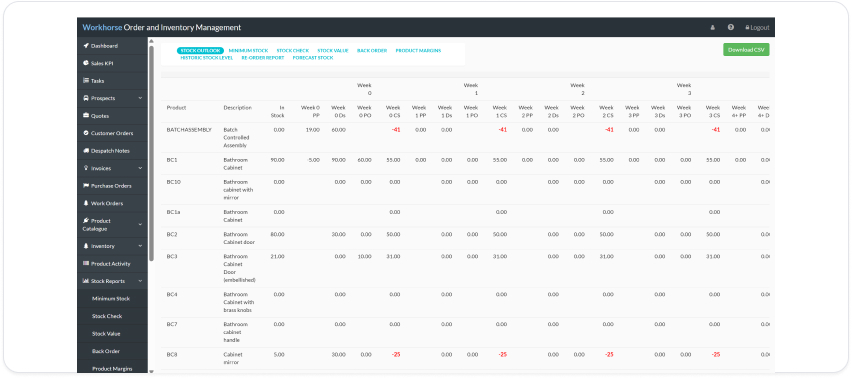
On-hand and available are different figures: on-hand is what is physically held; available is what can still be promised to a customer. Xero supports backorders on tracked items: the invoice consumes available stock and the shortfall is held until more arrives. That closes part of the gap, although it remains an invoice-led process rather than a sales-order, allocation, picking and despatch workflow.
Sales orders, partial dispatch and partial invoicing
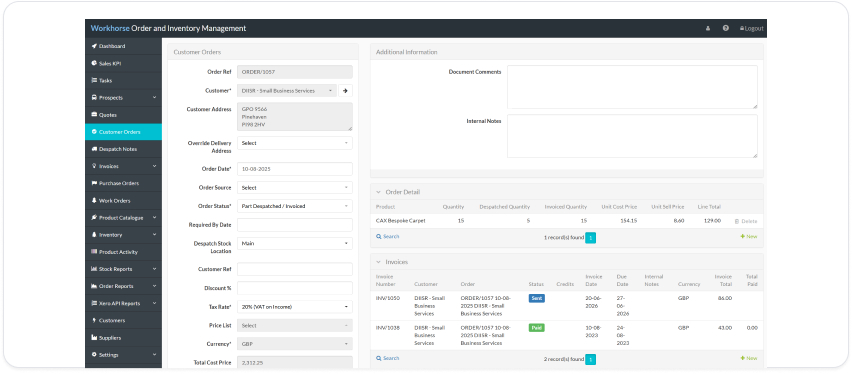
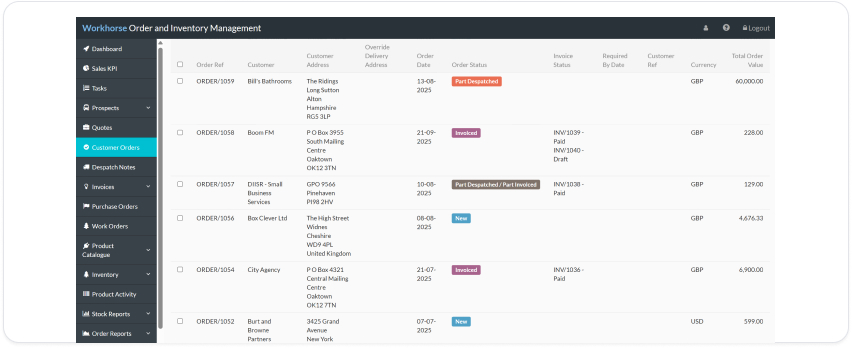
An invoice is a financial document; a sales order is an operational commitment — and orders don't always ship or invoice in full. A homeware distributor takes an order for a hundred cases, ships sixty now, back-orders forty, and invoices the sixty dispatched. Base Xero inventory moves stock on the invoice, not the dispatch, and holds no sales-order view, so as soon as an order part-ships the system no longer reflects what has actually happened.
If your orders ship complete every time, this won't affect you.
Shortfalls, back orders and replenishment
Knowing stock is low is only part of the problem. The harder questions are which orders and which customers a shortfall touches, and which purchase order or production run clears it. A premixed cocktail producer whose open orders exceed finished stock — with batch and expiry dates narrowing what can actually be shipped — needs more than a low-stock warning: they need to see who is waiting, for how long, and what resolves it. Base Xero inventory shows what is on order and what is quoted, but holds no open sales orders and no view that connects a shortfall to the purchase order or production run that clears it.
Purchase orders, goods-in and partial receipts
Base Xero inventory raises purchase orders, and a purchase order can be billed in stages: when part of an order arrives, a bill is created for the quantity received, and the order shows what has been billed and what remains. Receiving is tied to the supplier bill rather than being a separate goods-in transaction.
If billing in stages is sufficient for the operation, Xero handles the process well; the gap appears where goods-in needs to be managed independently of supplier billing.
Multi-location stock
The difficulty is not storing a location name — it is using location-level stock to make decisions: fulfil from here, transfer to there, replenish that site first. An interiors business running a warehouse, a showroom and a workshop has three stock-holding sites, none able to see the others' numbers, while base Xero inventory holds a single undivided pool.
Kits, bundles, assemblies and light production
Base Xero inventory handles items that are bought and sold as-is; it has no concept of items that are made. There is no bill of materials and no component consumption, so a business that assembles what it sells is invisible to it below the finished-goods line. A radio assembler builds a finished unit from a housing, a circuit board and a battery pack — and one missing board stops the build, however many housings are on the shelf. Finished-goods accounting can't see that; component-level control can.
This is light production — kitting, bundling and assembly — rather than heavy manufacturing.

Where Workhorse fits
Workhorse is inventory and operations software for product businesses on Xero that have outgrown simple stock tracking — those running assemblies, batch or serial tracking, subcontracted or multi-step production and fulfilment, or specific COGS requirements.
In practice, Workhorse takes on the operational side described above and leaves Xero doing the financial job it was built for. Sales orders, allocation and availability; picking, partial dispatch and back orders; purchase orders, goods-in and part-receipts; stock across multiple locations with transfers; kits, assemblies and component tracking through light production. Physical events are recorded when they happen, so the stock figure the team sees reflects the operation directly rather than being derived from bills and invoices.
How it syncs back to Xero
Workhorse is not a replacement for Xero. It acts as the operational system of record and syncs the financial consequences into Xero: customers and suppliers, sales invoices, credit notes, purchase orders, bills, the chart of accounts, tax rates and tracking categories — and payment status flows back from Xero after reconciliation, updated automatically overnight. The accounts stay a clean, reconcilable ledger, and stock records no longer depend on when bills and invoices are entered. The full connection is described on our Xero integration page.
Stock value and cost of goods sold follow the same division. Products in Xero are left untracked — Workhorse is the stock record — and COGS is posted as a month-end journal from a dedicated Workhorse report that values the period's movements. Posting COGS per transaction is also supported; few customers use it, because of the work it creates in Xero, but where an in-month balance sheet matters, it's available.

Workhorse is rated 4.9 out of 5 on the Xero App Store, where it has been listed since 2020. The reviews consistently mention implementation, support and the quality of the Xero link. One long-standing customer describes a team
"always willing to work with us and find solutions to adapt our system" as the business grows;
another notes that it
"adapts seamlessly to our business needs".
You can read more from our customers, or all our reviews on the Xero App Store listing.
Switching: from first workshop to live
The switch itself is usually the biggest concern. Onboarding is led by our team, not left to yours: it starts in writing, with a functional requirements document setting out how you work now, what the system will do and what it will cost; workshops then map your products, workflows and locations; we set the system up around them, connect Xero and bring your data across; and your team is trained on your own processes rather than generic ones. From the first workshop to running live takes from a few weeks to a few months, depending on complexity — and it is at this stage, once set up, that you see your own stock live in Workhorse, linked to Xero. The implementation and support themes in the reviews above come from this process.
A note on Xero Inventory Plus
Xero also offers Xero Inventory Plus, an add-on available in some markets. It is materially more capable than base Xero inventory, with sales orders and fulfilment, multiple locations, purchase orders received on the order in full or in part, and ecommerce connections. It is, in effect, an operational record alongside Xero's accounting one.
It is aimed primarily at ecommerce and retail operations. The distinction with Workhorse is therefore less about whether Xero can provide additional inventory functions and more about the operating model. Workhorse is aimed at businesses that need processes such as production and assemblies, EDI, or workflows configured and customised around how the business actually operates.
For a relatively straightforward ecommerce business where it's offered, Inventory Plus is a sensible option to evaluate. For operations that extend substantially beyond that model, a dedicated operational platform may still be the better fit.
When Xero alone is enough
There is no case for adding an operational system you don't need. Base Xero inventory is probably still sufficient if:
- You buy finished goods and sell them as-is — nothing kitted, bundled or assembled.
- Stock is held in one location.
- Orders ship complete, so a sales invoice can reasonably stand in for a dispatch.
- Purchase orders arrive whole, and the bill is entered close enough to the delivery that the gap doesn't cause problems.
- No stock spreadsheet has appeared — or the one that exists is a convenience rather than something the business depends on.
If that describes your business, staying with Xero alone is a reasonable decision.
When it's time to add an operational system
Conversely, the common signs that a business has outgrown base Xero inventory are:
- The spreadsheet is trusted more than the system, and keeping it updated is part of someone's job.
- Stock that looks free keeps turning out to be allocated, mislocated or not yet received.
- Orders part-ship, and back orders are tracked by hand.
- Purchase orders arrive in pieces, and stock is wrong between the delivery and the bill.
- Stock is held in more than one place, or the business makes what it sells.
If several of these apply, the issue is not a Xero shortcoming; it is that the stock process has outgrown accounting-led inventory. How to weigh these signs, and what the different kinds of inventory app are built for, is covered in when to add an inventory app to Xero.

Xero for the accounts, an operational system for the stock
Xero is a good accounting platform and the right home for the financial record — keep it. Stock decisions, though, are made at goods-in, at allocation and at dispatch — before any bill or invoice exists — and they need a system that works at that level. Use Xero for the accounts, Workhorse for the operation, and let the integration keep the two aligned.
Our pricing is published. Book a discovery call and we'll talk through how your stock actually moves — locations, assemblies, purchasing — show you Workhorse running with Xero, and tell you straight whether it's a fit.
See your invoices land in Xero
Book a discovery call and we'll run an order through Workhorse, from entry to the invoice arriving in Xero, coded and ready to reconcile.